
HIES Reserve: guest booking
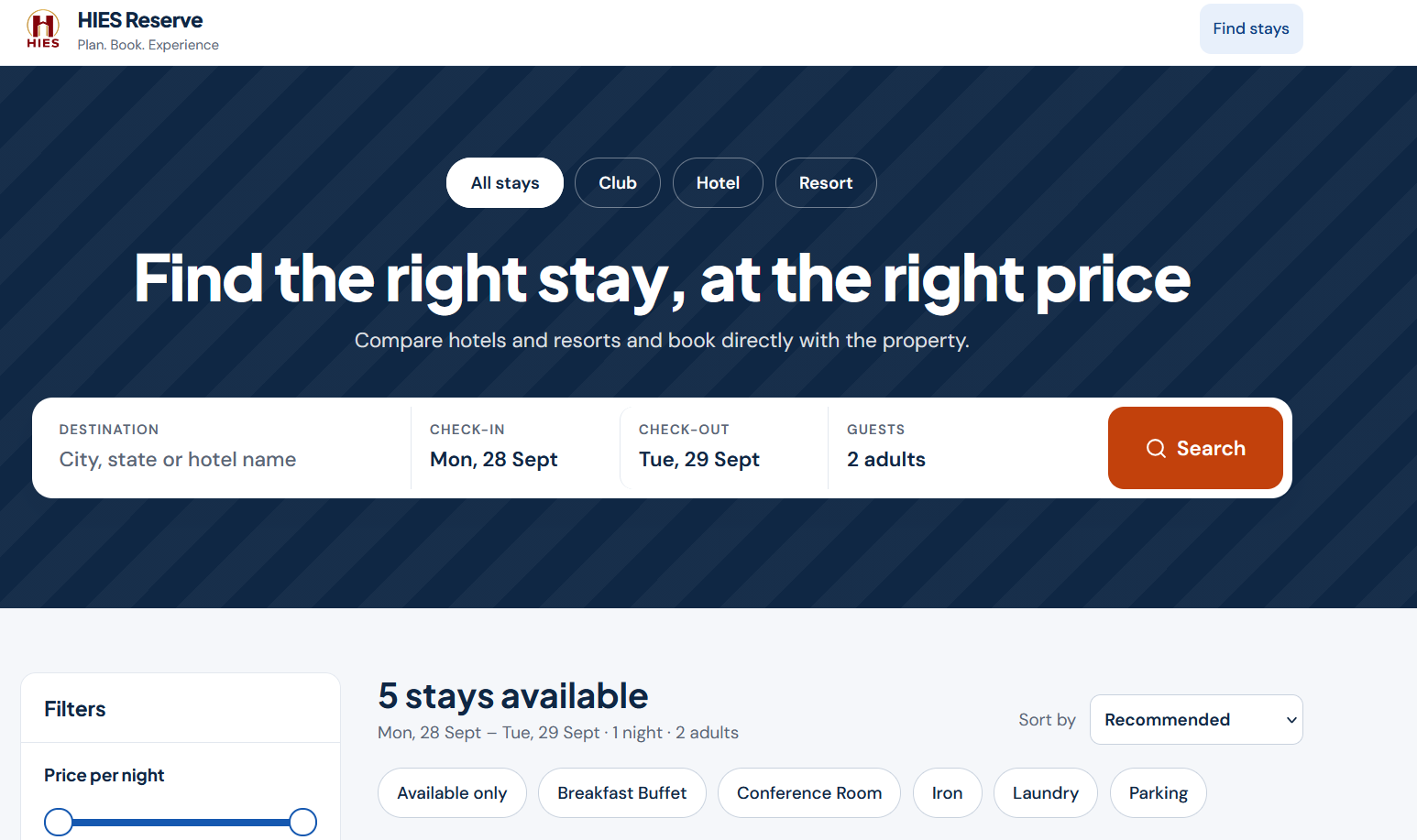
Where guests find the property and book directly.
- Property search and comparison
- Room and venue booking with online payment
- My Bookings to view, modify, and cancel bookings
- Property-branded pages and website booking links
HIES application
Direct booking for rooms and venues, in two connected parts: HIES Reserve for guests and HIES Nexus for your property team.
What it is
HIES Booking Engine has two connected products. HIES Reserve is the guest booking site, where guests search, book, pay for, and manage room and venue bookings. HIES Nexus is the property workspace, on the web and on Android, where your team controls availability, rates, restrictions, OTA inventory, cancellations, groups, and every booking.
Operational value
Keep direct room and venue demand under property control, and pass confirmed room reservations into Front Office.
Who uses it
Workflow
Maintain property content, location, rooms, venues, rate plans, cancellation policies, and booking masters.
Control inventory, restrictions, base rents, and channel and OTA inventory from the web or the mobile app.
Guests search, choose rooms or a venue, pay, and receive confirmation on HIES Reserve or through the property's own website link.
Confirm, modify, cancel, and invoice bookings, and manage groups, advances, and membership.
When Front Office is enabled, confirmed stays move into arrival operations.
Capabilities
Where guests find the property and book directly.
Where your team controls what is sold and manages every booking.
Keeps direct and OTA selling in step.
Connected applications
Dashboard and MIS
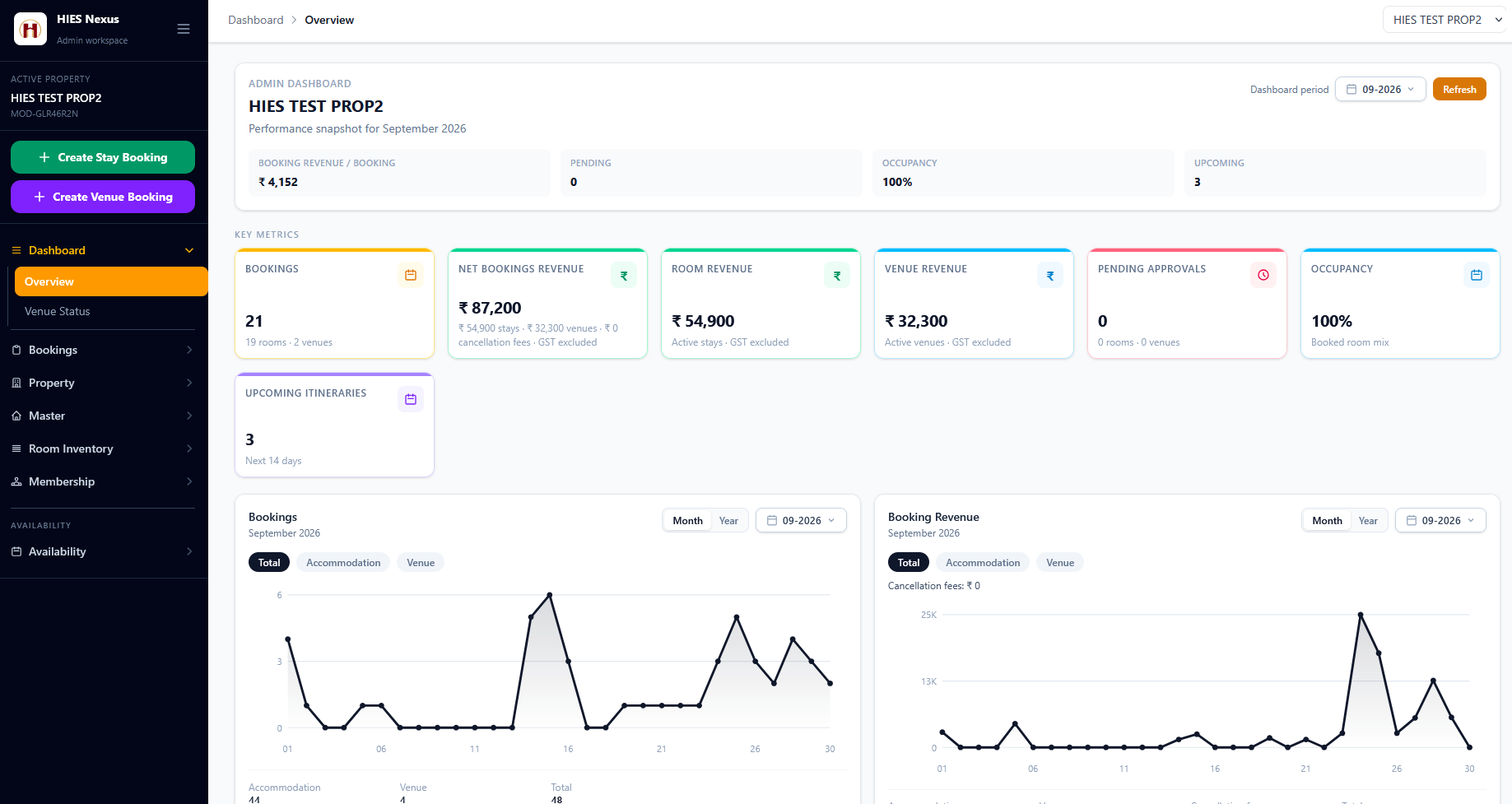
Each HIES application has its own dashboards, daily views, and reports, built for the teams that use it.
Bookings, revenue, and revenue per booking.
Occupancy and pending approvals.
Booking sources, including HIES Reserve and property website links, and upcoming bookings.
Separate direct and OTA booking trends.
Part of HIES Booking Engine
The guest booking site: search, compare, and book rooms and venues directly with the property.
Part of HIES Booking Engine
The property workspace for bookings, availability, and rates, on the web and on Android.
See The Platform In Context
Review room and venue booking, front office, POS, QR ordering, material management, settlements, and reporting with a product walkthrough built for your team.
Contact / Demo
Share your booking, front-office, restaurant, or stores workflow and we will walk you through the right product mix.
Windlass Tower, Rajpur Road, Dehradun, Uttarakhand
What to expect
See which mix of HIES Reserve, HIES Nexus, Front Office, POS, Material Management, and e-Kitchen QR ordering best matches your operation.
Review how bookings, guest stays, outlet billing, QR orders, stock movement, and reports connect in practice.
Discuss room inventory, restaurant flow, billing, invoicing, and support expectations with the HIES team.
Use the email or phone contacts on this page to request a live demo and continue the conversation.