
Rooms and reservations
Plan rooms before guests arrive.
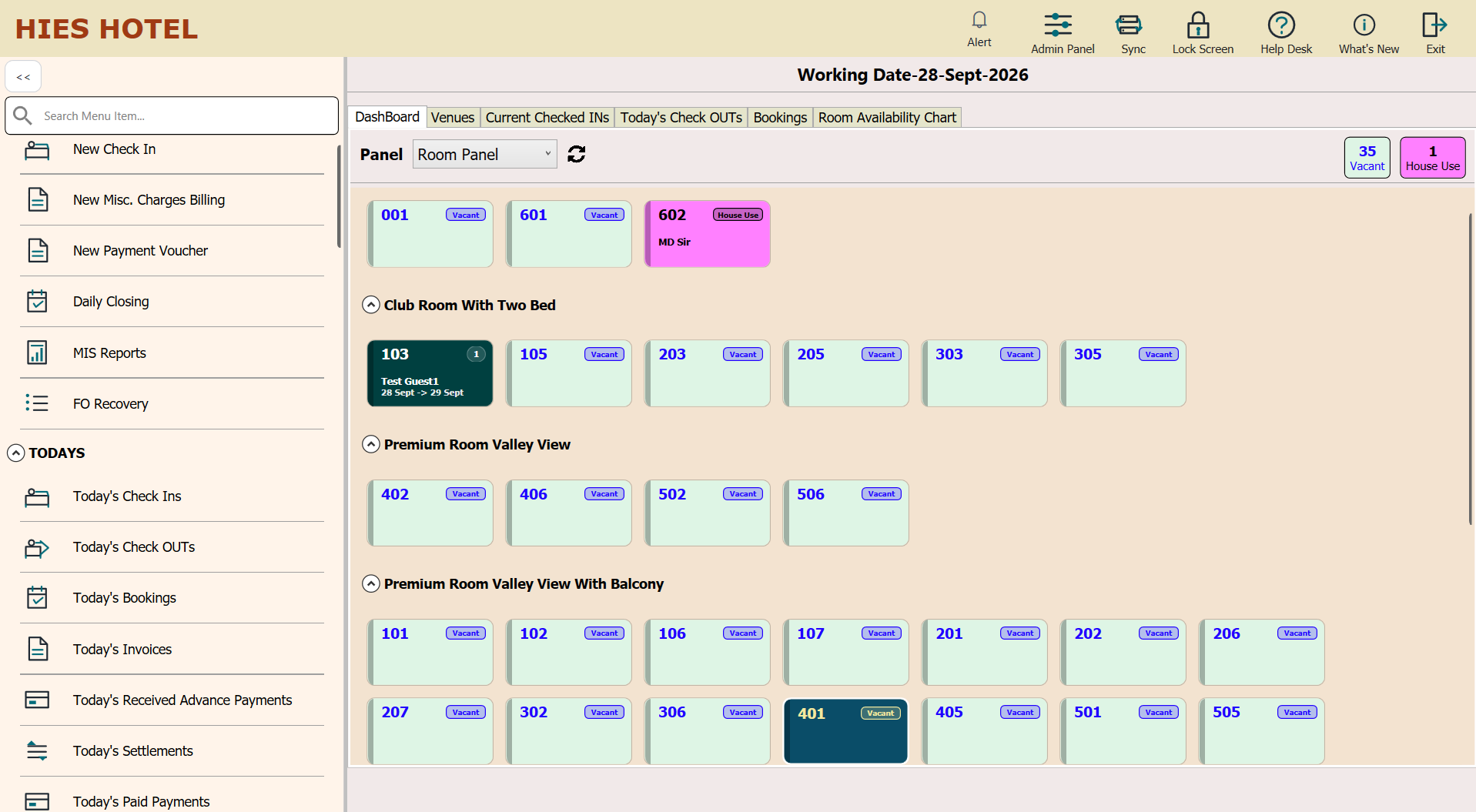
- Room panel and inventory
- Reservation chart
- OTA booking receipt
- Room allotment and groups
HIES application
Run room inventory, reservations, arrivals, guest billing, invoices, payments, settlements, and MIS.
What it is
HIES Front Office runs the stay lifecycle across reservations and OTA bookings, room panels, allotment, group and partial check-in or checkout, guest billing, other charges, invoices, payments, settlements, e-invoicing, daily activity, and MIS.
Operational value
Give teams a consistent room-and-guest workflow from reservation receipt to final settlement.
Who uses it
Workflow
Work with direct, offline, and OTA reservations.
Use room inventory, the reservation chart, allotment, and group planning.
Process individual, group, and partial check-in.
Post room billing and other charges.
Handle partial checkout, invoices, payments, credit or room settlement, and e-invoicing.
Use online and offline trends, dashboards, and MIS.
Capabilities
Plan rooms before guests arrive.
Check guests in and bill the stay.
Settle every stay and close the day.
Connected applications
Dashboard and MIS
Each HIES application has its own dashboards, daily views, and reports, built for the teams that use it.
Today, month, and year revenue.
Bookings awaiting check-in and reservations.
Room inventory, check-ins, and checkouts.
Online and offline booking trends.
See The Platform In Context
Review room and venue booking, front office, POS, QR ordering, material management, settlements, and reporting with a product walkthrough built for your team.
Contact / Demo
Share your booking, front-office, restaurant, or stores workflow and we will walk you through the right product mix.
Windlass Tower, Rajpur Road, Dehradun, Uttarakhand
What to expect
See which mix of HIES Reserve, HIES Nexus, Front Office, POS, Material Management, and e-Kitchen QR ordering best matches your operation.
Review how bookings, guest stays, outlet billing, QR orders, stock movement, and reports connect in practice.
Discuss room inventory, restaurant flow, billing, invoicing, and support expectations with the HIES team.
Use the email or phone contacts on this page to request a live demo and continue the conversation.