
Guest ordering
Guests order from their own phone.
- Table and room QR generation
- Digital menu browsing
- Guest order capture
- No separate guest app
Part of HIES Point of Sale
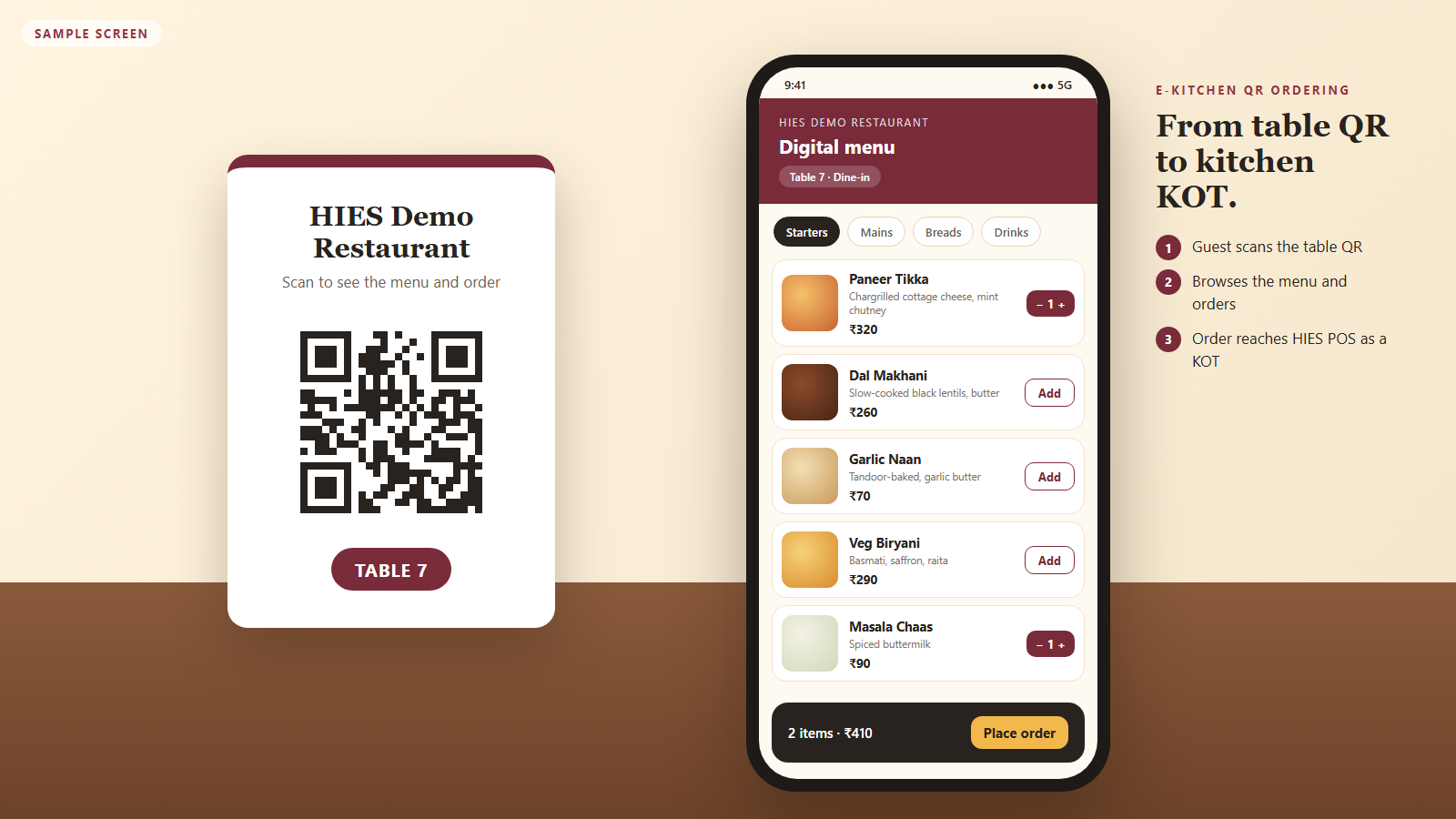
Let guests scan a table or room QR, browse the menu, order, and continue through HIES POS, KOT, billing, and reporting.
What it is
HIES e-Kitchen is the QR digital menu and ordering solution for HIES POS. It creates table or room QR entry points, captures guest orders on mobile, and hands those orders into POS and KOT operations.
Operational value
Add guest-controlled ordering without separating the order from outlet KOT, billing, and reporting.
Who uses it
Workflow
Generate a QR for a table or room.
Guests open the mobile digital menu.
Guests choose items and place the order.
The order enters POS and kitchen production.
Continue through running-table or room billing and outlet reporting.
Capabilities
Guests order from their own phone.
Orders arrive in POS like any other order.
Service stays under outlet control.
Connected applications
Dashboard and MIS
Each HIES application has its own dashboards, daily views, and reports, built for the teams that use it.
Guest orders in the connected POS workflow.
Running and production KOT status.
Table or room billing.
QR orders are included in POS MIS.
Part of HIES Point of Sale
Move restaurant, bar, table, room-service, takeaway, and delivery orders through KOT production, billing, payment, closing, and MIS.
See The Platform In Context
Review room and venue booking, front office, POS, QR ordering, material management, settlements, and reporting with a product walkthrough built for your team.
Contact / Demo
Share your booking, front-office, restaurant, or stores workflow and we will walk you through the right product mix.
Windlass Tower, Rajpur Road, Dehradun, Uttarakhand
What to expect
See which mix of HIES Reserve, HIES Nexus, Front Office, POS, Material Management, and e-Kitchen QR ordering best matches your operation.
Review how bookings, guest stays, outlet billing, QR orders, stock movement, and reports connect in practice.
Discuss room inventory, restaurant flow, billing, invoicing, and support expectations with the HIES team.
Use the email or phone contacts on this page to request a live demo and continue the conversation.